Submitting a Ticket in Zendesk

Once logged into the Zendesk Help Portal, you can view all your correspondences that you have currently submitted to us. This will include any of your chats that you have sent to us, as well as open tickets. All responses to your chats will be located within this area as well, and this will be where you will go to see chat responses.
When you log in, you will be defaulted to the Home Page that will look like the below page. This is where you can search our Knowledge Base for help with any issues that arise. We are actively working on providing additional information as we find the need as well. If there are any articles you wish to see, please feel free to let us know what you are hoping to see.
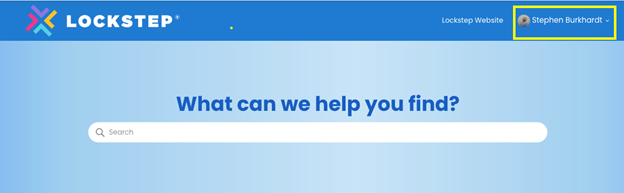
To submit or view a ticket, you can use this link, or select your name from the home screen, clicking on “Requests.”
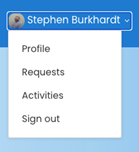
This will bring up a list of your past requests that have been opened, as well as where you will be able to check if there has been any new activity on any of your previous chats.
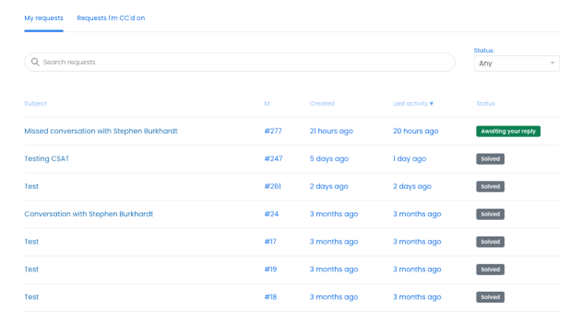
With the move to Zendesk, all chat responses will be housed in this portal area, rather than a chat bar. Additionally, you will receive an email of any responses as well after the chat has ended, we ask that you log into the Zendesk portal to respond to the email as this will make sure that it updates the case properly.
Questions about this process? Post them here.
Please sign in to leave a comment.
Comments
0 comments