Invoice Contact Frequency Setup
Invoice contacts can be used within automation for tracking and/or setting the frequency on an auto activity, defining how often the activity should be created based on the contact on the invoice.
For example, a welcome email can be sent once to every new invoice contact and a past due invoice reminder can be sent to the invoice contact every 7 days, with the frequency based on the last time the activity was created for the contact on the invoice, versus the frequency on the invoice or the customer.
Required:
- Contact(s) must exist at the invoice level
- Automation step (credit class activity alert) must be setup as an invoice level step, along with the stand-alone option set (required for the frequency on the step)
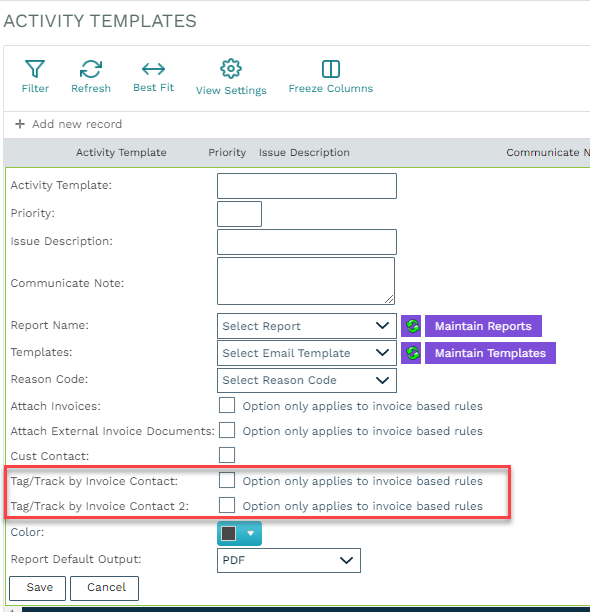
- Activity Template option must be set for either the 'Invoice Contact' or 'Invoice Contact 2' but not both on the same activity template (not currently supported)
NOTE: If not an email-based activity template, an activity will be created for each Invoice contact, i.e., for a follow-up phone call activity to be generated for the collector, this invoice contact step would be created based on